Small internal tools and client portals for when an off-the-shelf app does not fit how you work.
Read more
What we don't do
No spam blasts.We do not send bulk messages to people who did not ask for them, or use bought contact lists.
No fake reviews or engagement.No fake reviews, followers, likes or comments, for you or for anyone else.
No private data behind logins.We work with official APIs and public data, and nothing that breaks a platform’s rules.
No template and vanish.You get a working system connected to your tools, a dashboard to run it from, and someone to ask.
The library
Play with a real workflow
This is the booking automation from the library. You are the customer: tap a reply and watch what happens behind the scenes. Then switch WhatsApp to Telegram, or Google Sheets to Airtable.
Book a dental visit over chat
Message from
Save to
Calendar
Loading the demo…Simulated demo, sample data
Read this demo as text▾
Riya (customer)“Hi”
Behind the scenesMessage received from Riya on WhatsApp
Behind the scenesA greeting, no request yet. Offering to book
Behind the scenesReply sent on WhatsApp
Bright Smiles assistant“Hi, this is the Bright Smiles assistant. Want to book a visit?”
Riya (customer)“Yes, book”
Behind the scenesMessage received from Riya on WhatsApp
Behind the scenesWants to book. Asking which service
Behind the scenesReply sent on WhatsApp
Bright Smiles assistant“Great. Which service do you need?”
Riya (customer)“Cleaning”
Behind the scenesMessage received from Riya on WhatsApp
Behind the scenesService: Cleaning. Asking for a time
Behind the scenesReply sent on WhatsApp
Bright Smiles assistant“Cleaning, noted. When suits you?”
Riya (customer)“Tomorrow 4 pm”
Behind the scenesMessage received from Riya on WhatsApp
Behind the scenesCleaning on Thursday at 4:00 pm. Checking the calendar
Behind the scenesThursday 4:00 pm is free. Holding it for 10 minutes
Google CalendarThursday 4:00 pm held for Riya while she decides
Behind the scenesReply sent on WhatsApp
Bright Smiles assistant“Tomorrow, Thursday, at 4:00 pm is free. Shall I confirm?”
Riya (customer)“Yes, confirm”
Behind the scenesMessage received from Riya on WhatsApp
Behind the scenesConfirmed. Booking Cleaning for Riya, Thursday 4:00 pm
Behind the scenesEvent created in Google Calendar
Google CalendarEvent added: Riya Shah, Cleaning, Thursday 4:00 pm
Behind the scenesRow added with status Confirmed
Google SheetsNew row: Riya Shah, Cleaning, Thu 12, 4:00 pm, Confirmed
Behind the scenesConfirmation sent
Behind the scenesReminder set for Thu 2:00 pm
Bright Smiles assistant“You're booked. I'll remind you 2 hours before. Reply R to reschedule.”Booking confirmed: Service Cleaning, When Thursday 12, 4:00 pm, Where Bright Smiles Dental.
ResultBooked. Nobody at the clinic had to reply. Riya Shah, Cleaning, Thu 4:00 pm. In Google Calendar and Google Sheets, with a reminder set.
Our flagship automations
A chatbot for your website with a person one message away, a WhatsApp chatbot, two voice agents and AI video editing. Each one has a playable preview and a look at the dashboard you get.
A chat button in the corner of your website. It answers visitors from the pages and documents you add in your AgeDash dashboard, and takes an email for your team when it does not know.
Tools: Website chat widget, Google Drive, Notion, Shopify, Email, n8n+1
When a customer asks for a person, the AI confirms, alerts your team by pop-up, message or call, and steps aside while someone takes over the chat from AgeDash. When they finish, the AI carries on.
Tools: Website chat widget, WhatsApp Business API, Slack, Microsoft Teams, SMS (Twilio), Google Drive, n8n+2
An AI assistant on WhatsApp that answers customers from your own documents, understands voice notes and photos, and hands the chat to a person when it does not know.
Tools: WhatsApp Business API, Telegram, Slack, Website chat widget, Google Drive, Notion, OpenAI, Pinecone, n8n+4
After each delivery or visit, a voice agent calls the customer, asks two short questions, logs the score in a sheet and tells your team when someone is unhappy.
Tools: Shopify, Google Sheets, WhatsApp Business API, n8n
Upload your documents in the AgeDash dashboard and the agent answers calls from them, books meetings with a Meet link, and saves every caller as a lead in your sheet or CRM.
Tools: Google Calendar, Google Meet, Google Sheets, WhatsApp Business API, HubSpot, Zoho CRM, n8n+2
A row in a sheet becomes finished short videos in your Drive folder: the best hooks picked, silences cut, captions added and the call to action kept last.
Tools: Google Sheets, Google Drive, Dropbox, OpenAI, Instagram, YouTube, n8n+2
Besides custom automations, we make our own products: the dashboard, a data API, voice agents, booking and trackers. Here is what is in use and what we are building now.
In use
AgeDash dashboard
One login where every automation reports back: results, uploads, your team, usage and billing.
One row per creator in a sheet becomes ad sets in Meta Ads, with that creator’s videos, names, audience and budget. Built for brands that launch many creator ads a day.
We use well-known tools where they are the right fit. For the jobs that touch your customers and your data, such as messages, calls, bookings and reports, we build and run our own versions. When a popular tool does a job well, we learn how it works and build that job on our own servers.
Your data stays in one place
It lives on servers we run, not copied into a dozen outside apps, each with its own login and its own copy of your customer list.
Fewer ways in
Every outside app with access to your data is one more place a leak can start. Fewer apps means fewer doors to lock.
No surprise changes
An outside tool can raise its price, change its limits or drop a feature overnight. Our products change when we decide it with you.
Built around your work
We start from how your team works today, so the product fits your process. If a step is missing, we add it.
How it works
From manual work to a running automation
Four steps, and you see the result before it is built for real.
1
You show us the manual work
On a 30 minute call, walk us through what you do by hand today, which tools you use, and what goes wrong.
2
We show you a demo on your case
You see the automation working with your channels, your tools and your wording before it is built for real.
3
We build and connect it
We set it up on your accounts, test it with real examples, and agree what should happen when something unusual comes in.
4
You run it from your dashboard
Sign in at app.agedash.com to see your automations, usage and billing in one place.
Integrations
Works with the tools you already use
The tools we connect most often. Swap any of them inside the demos and watch the result change.
If it has an API, we can usually connect it
WhatsApp, Google Sheets, Shopify, Amazon, HubSpot, Slack and many more. Swap any of them inside the demos and watch the result change.
AgeDash builds automations, AI agents, voice agents, dashboards and data APIs for small and mid-size businesses. Each one connects the tools you already use, and you run it from your own AgeDash dashboard.
Can I try an automation before talking to you?
Yes. Every automation in the library has a demo you can play with, and you can switch the tools it uses, for example WhatsApp to Telegram or Google Sheets to Airtable. The demos use sample data and fictional companies.
Which tools can you connect?
Messaging apps such as WhatsApp, Telegram, Instagram and Slack; Google and Outlook calendars; Google Sheets, Airtable, Notion and Excel; CRMs such as HubSpot, GoHighLevel and Zoho; stores such as Shopify and Amazon; and AI models from OpenAI, Anthropic and Google. If a tool has an API, it can usually be connected.
How much does an automation cost?
It depends on what it connects, how many steps it has and how often it runs. There are three parts: a one-time build, a fixed monthly invoice, and usage paid from a credit balance in your dashboard. On the first call we look at your case, and you get a clear plan and price before any build starts.
Will an AI agent say something wrong to my customers?
It answers from the information you approve, and it hands the conversation to a person when it is unsure or when the topic is sensitive. You decide those rules with us before launch.
What happens after the automation is live?
It runs on the AgeDash server, and you sign in at app.agedash.com to see your automations, usage and billing in one place. When your process changes, you ask for a change instead of starting again.
Do you work with businesses outside India?
Yes. AgeDash is based in Vadodara, India, and works with businesses in India and in other countries. Calls happen online, and booking times are shown in your own time zone.
What is the difference between a Preview and a Test?
A Preview runs on sample data in your browser, as many times as you like. A Test runs a real automation on your own report, invoice or link and sends you the result, one or two tries per person, for the automations that cost almost nothing to run.
Do I need technical knowledge to use it?
No. We build and connect it. You use your dashboard to see what happened, and you tell us in plain words when something should work differently.
Can I start with one small automation?
Yes, and most businesses should. Start with the task that wastes the most time each week. Once it runs well, add the next one.
How long does it take to set up?
It depends on the tools involved and on approvals from other companies, such as a WhatsApp Business number. You get the steps and a timeline in the plan before anything is built.
What happens if one of my tools changes?
Your dashboard shows when a run fails, so a broken connection does not go unnoticed. Tell us, and we fix the connection.
Who owns my data?
You do. It stays in your own tools and accounts, and AgeDash uses it only to run your automations. Our privacy policy explains what is stored and for how long.
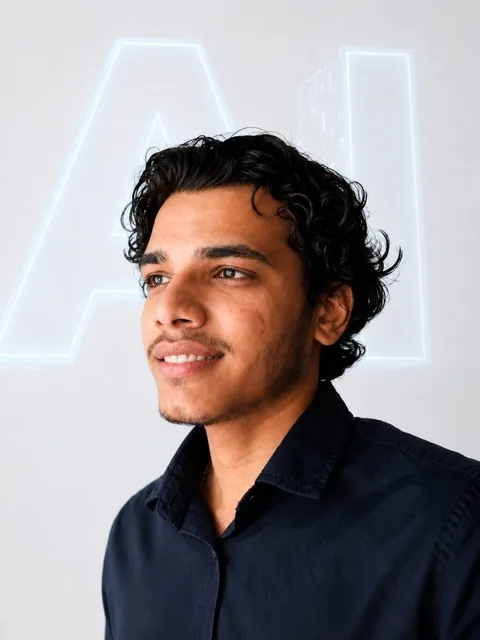
Dev PatelFounder, AgeDashVadodara, India
From the founder
A short note from Dev
I’m Dev Patel. I run AgeDash from Vadodara, in Gujarat, India. I build automations and AI agents with tools like n8n, GoHighLevel, the WhatsApp Business API, Shopify and Amazon APIs, for businesses that are tired of doing the same work by hand.
I made this library so you can see the work before you decide anything. If one of these demos looks like your problem, book a call. We will look at how you do it today and whether automating it is worth it for you.